Know your real profit
Product costs, ad spend, fees and shipping added up for you, so net profit is a number you can trust.
Free plan available. No card needed to start.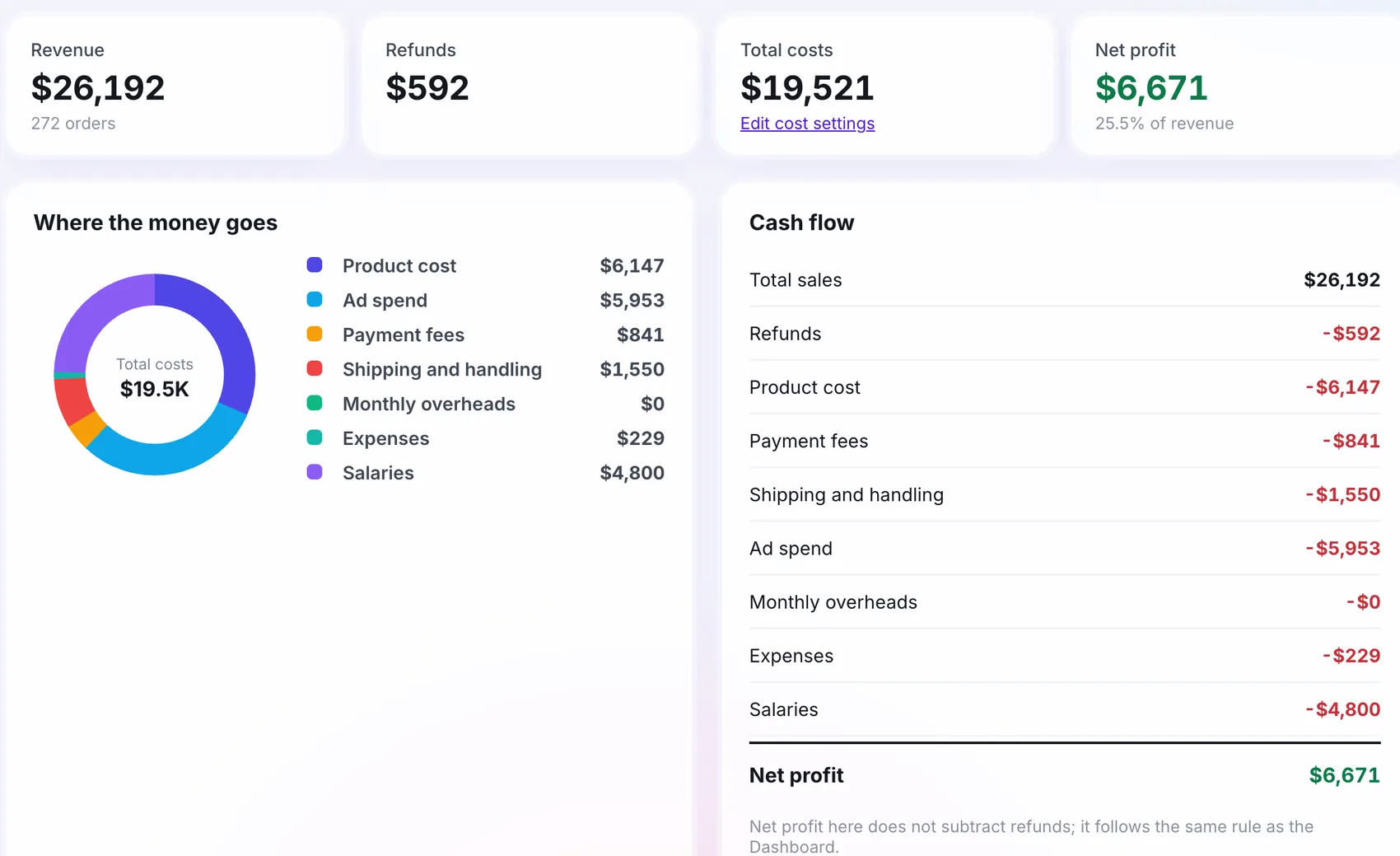
Works with your stack










How it works
Add costs
Product cost, fees, shipping, overheads.
Orders and ad spend
From your store and ad accounts.
Net profit
What is left, and where the money goes.
Why use profit
Beyond ROAS
A good ROAS can still lose money when the margin is thin.
Every cost counted
Product cost, payment fees, shipping, ad spend, overheads, salaries.
Cash flow
See how money moved across the period.
Send profit to Google Ads
POAS Data Feed from the Pro plan.
Step by step
Add product costs
Through your catalogue.
Set your cost rates
Fees, shipping, overheads, ad spend.
Read Finance
Net profit appears as orders arrive.
Send profit to your ads
With the POAS Data Feed.
What you need to get started
In Finance
- Revenue, refunds, total costs
- Net profit and cash flow
- Where the money goes
What you need
- Product costs in the catalogue
- Cost settings for fees, shipping, overheads
Built for your needs
Store owners
- Know if growth is making money
- Stop scaling thin margins
Finance minded marketers
- Bid on profit, not revenue
- Explain results to the owner
At a glance
Quick answers
Where do product costs come from?
From your product catalogue, where you add the cost of each product or import it with a CSV.
Can profit go to Google Ads?
Yes, through the POAS Data Feed power-up, available from the Pro hosting plan.
Are the numbers accurate?
They are as accurate as the costs you enter. Orders and ad spend come from your store and your ad accounts.

 Platform · 3 min read