See which channel really pays
Spend, revenue, ROAS and cost per order for Meta, Google, TikTok, e-mail and organic, in one table, from your own orders.
Free plan available. No card needed to start.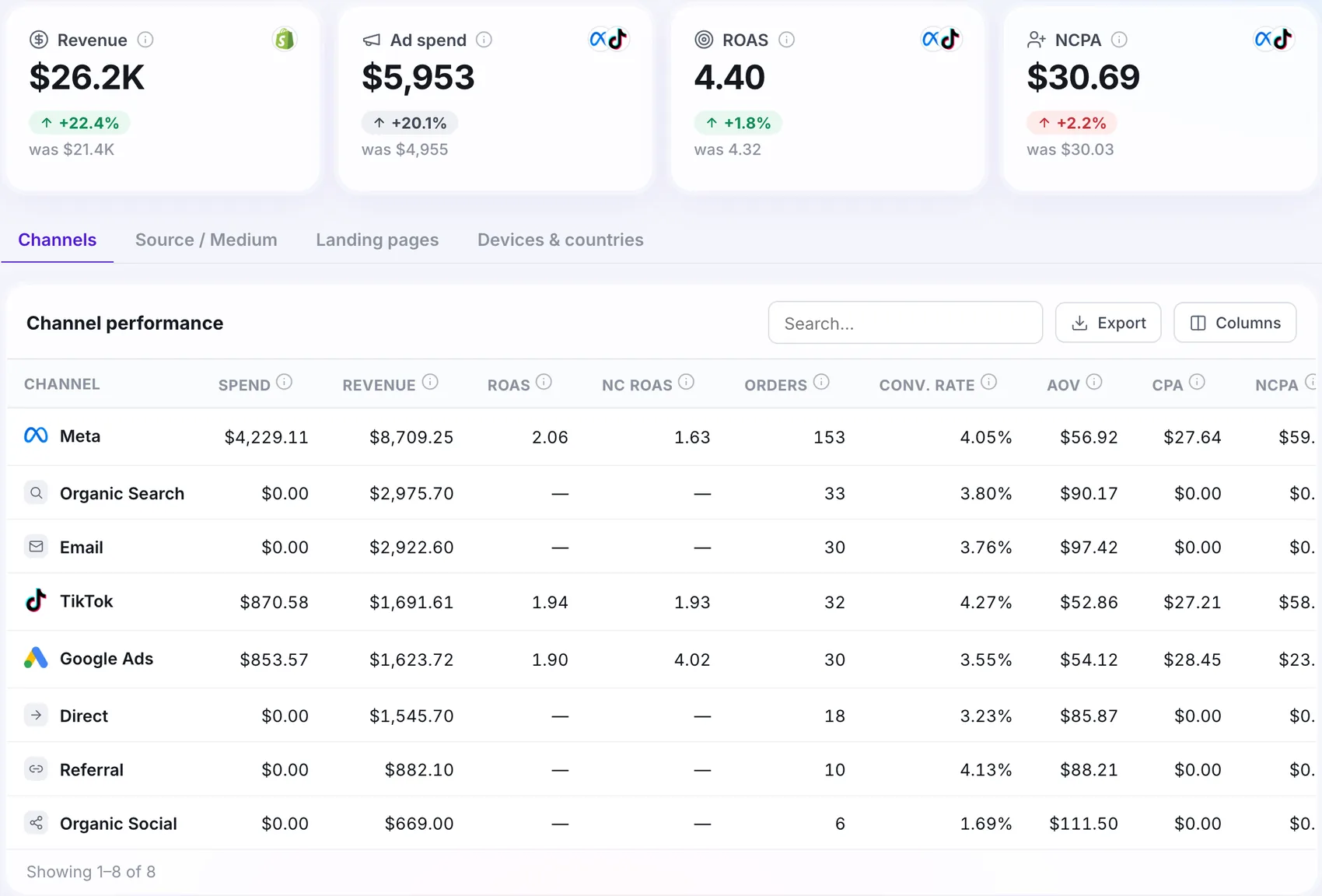

Works with your stack










How it works
Order arrives
Each order keeps the source that brought the visitor.
Channels are matched
Spend and revenue are joined per channel, source and landing page.
One table
ROAS and cost per order, side by side.
Why use acquisition
Move budget with confidence
Give more to channels that earn, cut the ones that only spend.
See the full path
Channel overlap shows visitors who came through more than one channel.
Landing pages that sell
See which pages start the visits that end in a sale.
Matches your orders
The total starts from your own order list.
Step by step
Tag your ad links
Use UTM parameters so each order carries its source.
Connect your ad platforms
Spend lands next to the orders it produced.
Pick a few weeks
Short periods make small channels look random.
Read the table
Compare ROAS and cost per order by channel.
What you need to get started
In the report
- Channels, source and medium, landing pages
- Channel overlap
- Live orders with the channel that won each sale
What you need
- UTM parameters on your campaigns
- Ad platforms connected for spend
Built for your needs
Media buyers
- Decide where the next dollar goes
- Defend a budget with real numbers
Store owners
- Know whether e-mail or ads earn more
- See which pages convert
At a glance
Quick answers
Which channels are supported?
Paid channels such as Meta, Google and TikTok, plus e-mail, organic and direct, based on how the visit arrived.
Why do my platform numbers not match yours?
Each platform credits itself. Open Tracked starts from the orders in your store and shows which channel won each, so the total always matches your orders.
Do I need UTM parameters?
They give the most accurate channels. Without them, orders are grouped by referrer and may land in direct.
 Platform · 4 min read