Automation
Automation that sends conversions for you
Build triggers, waits and conditions on a visual canvas. When a deal is won, the conversion is already on its way.
Free plan available. No card needed to start.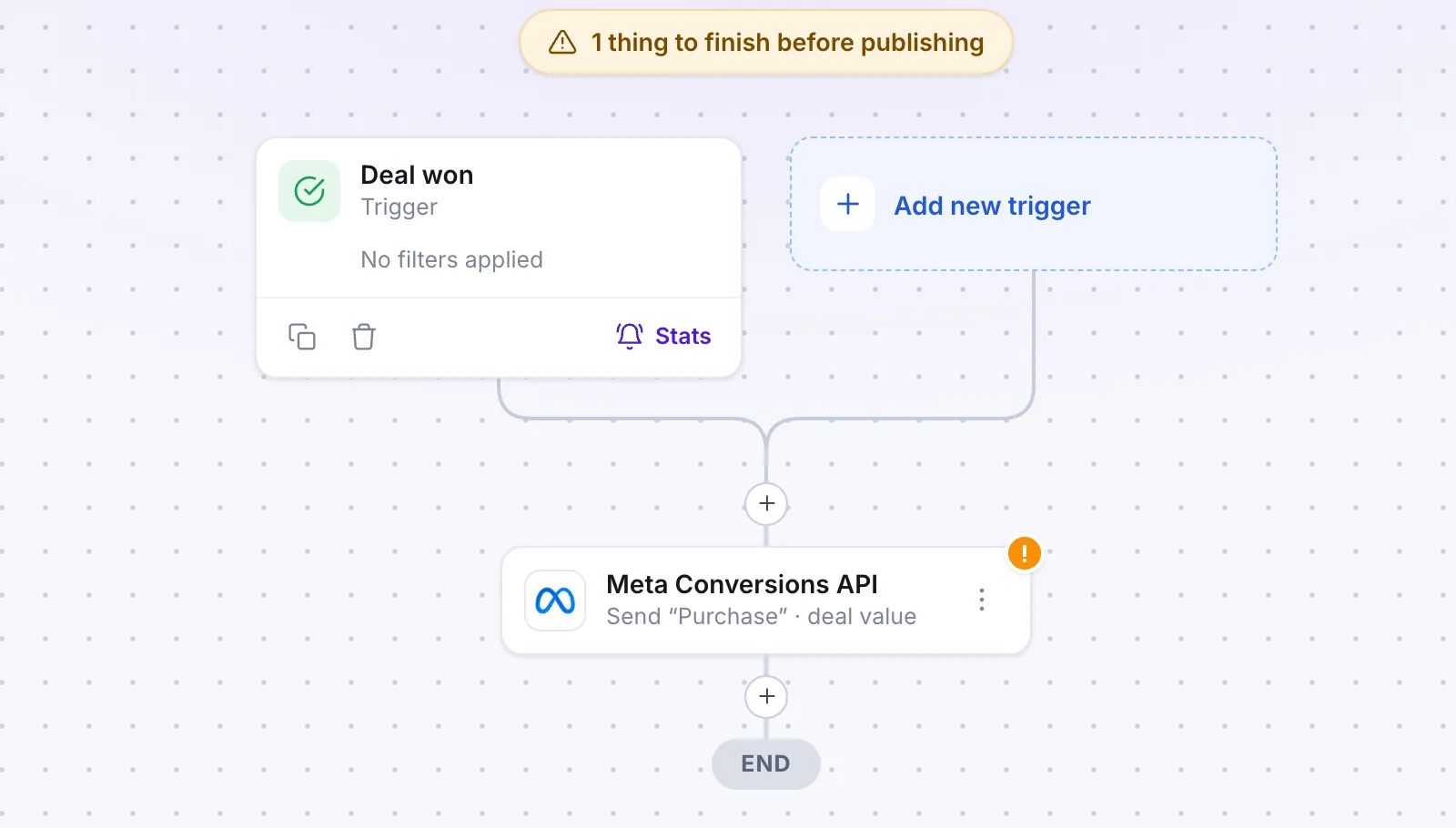
TriggerDeal won
SentOffline conversion

Works with your stack
Grab one. Throw it.












How it works
01
→Trigger
A deal changes stage.
02
→Wait and conditions
Hold a step, check your rule.
03
Conversion sent
Value and click ID go to the ad platform.
Why use automation
Set the rule once
It runs every time, without anyone remembering.
Clean, current data
Your ad platforms learn from conversions that were really sent.
Safe to build
Draft, test, then publish.
See what ran
Enrollment history and execution logs for every workflow.
Step by step
1
Trigger
Start when a deal moves to a new stage.
2
Condition
Continue only if the source and fields match.
3
Wait
Hold the step for the time you choose.
4
Send
The conversion goes to Meta or Google Ads.
What you need to get started
On the canvas
- Triggers, waits and conditions
- Draft and Publish
- Test workflow
Afterwards
- Enrollment history
- Execution logs
Built for your needs
Teams with a pipeline
- Follow the same steps every time
- Skip manual sending
Agencies
- Build once per client
- Check logs when a client asks
At a glance
3building blocks: trigger, wait, condition
2checks before live: test and draft
0code to write
Works with
Quick answers
Do I need to write code?
No. You build workflows by placing steps on a canvas.
Can I test before it runs for real?
Yes. Use Test workflow, and keep it as a draft until you publish.
Where can I see what ran?
In the execution logs and the enrollment history of each workflow.
 Platform · 3 min read