Products and stock, always in sync
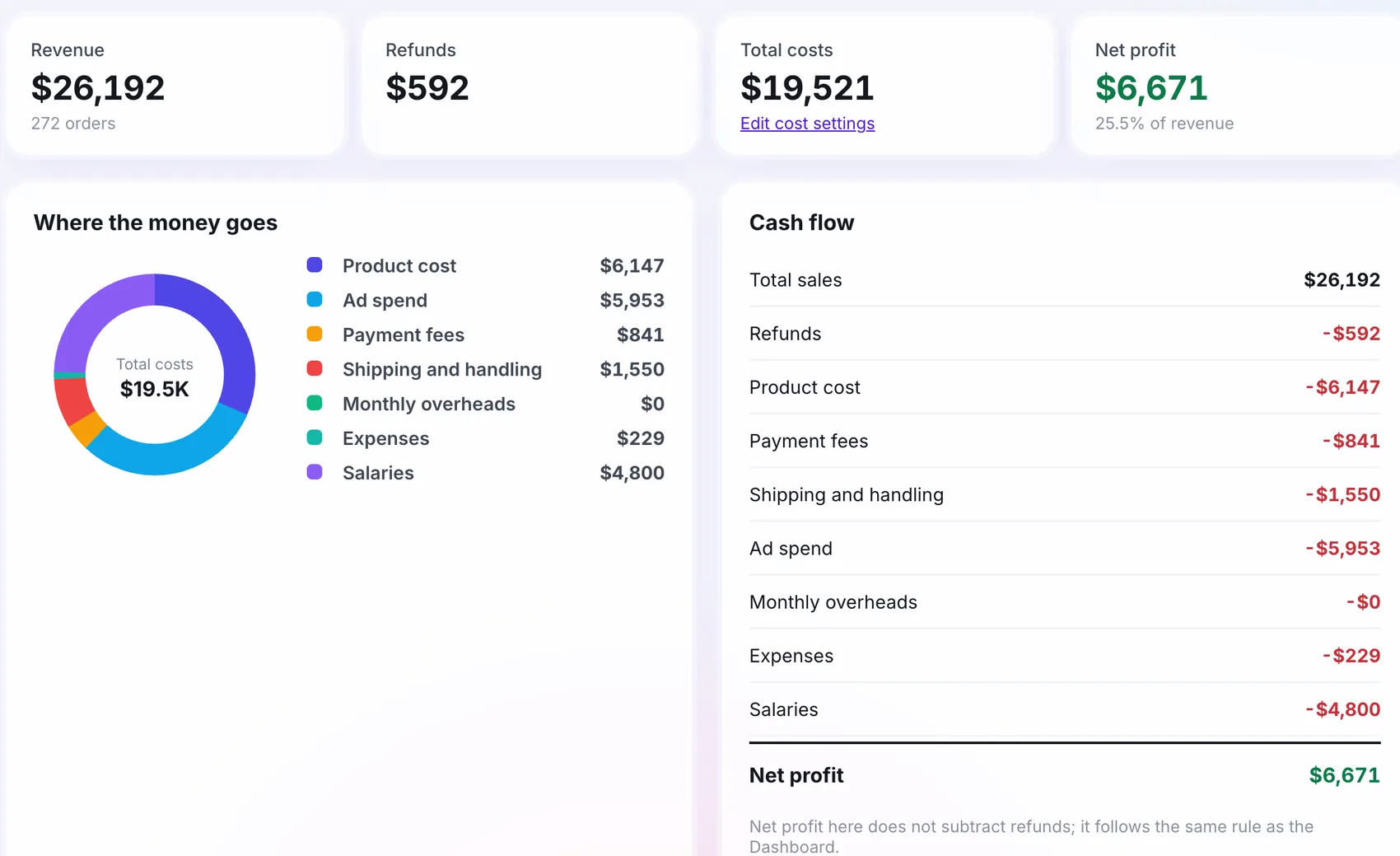
Cost, margin, stock and units sold for every product, kept current from your store or a CSV link.
Free plan available. No card needed to start.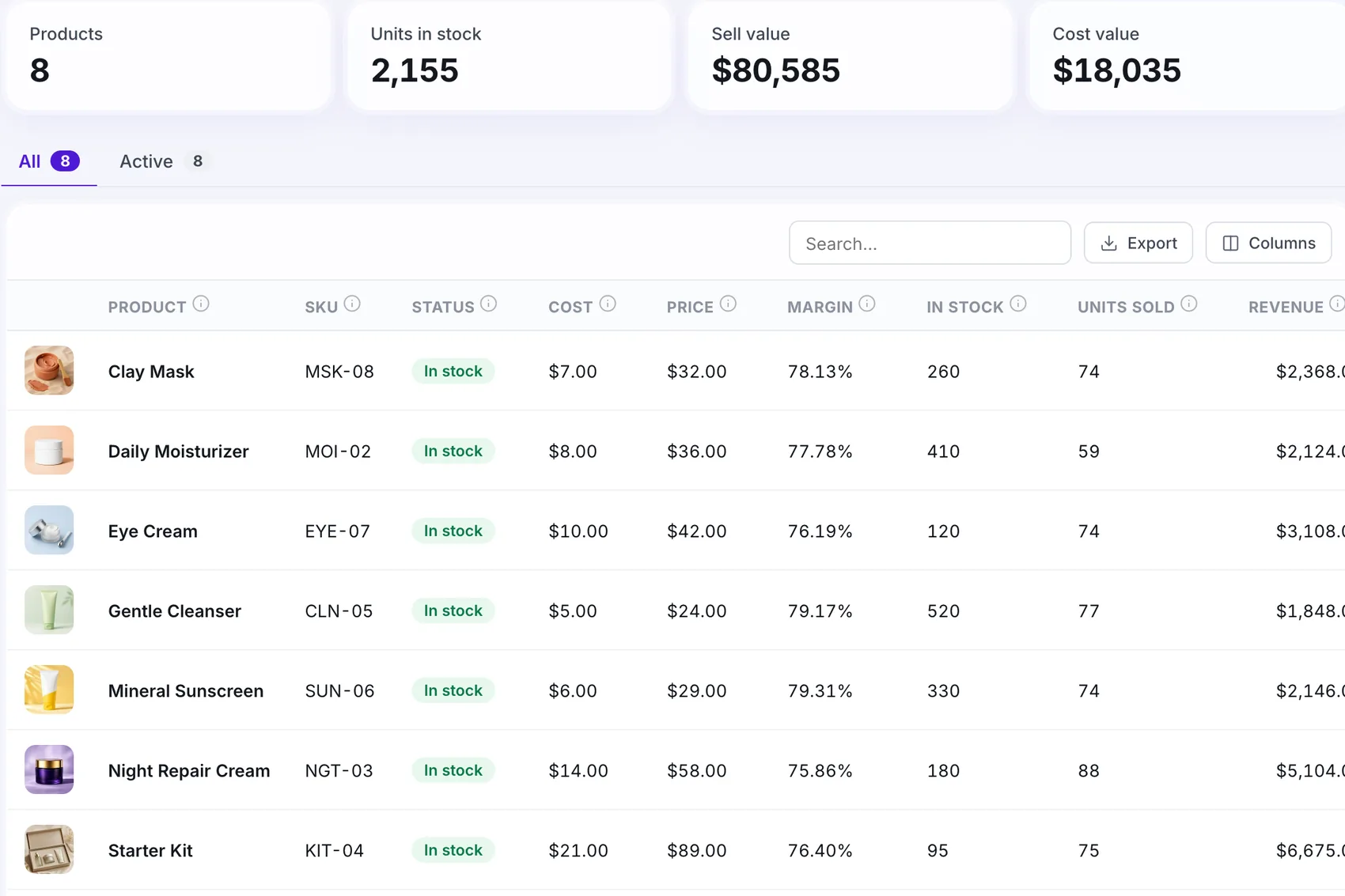

Works with your stack












How it works
Add your products
CSV link, CSV upload or by hand.
Catalogue is current
Stock, cost, sell value and margin.
Reports use real cost
Profit and margin come from true product cost.
Why use inventory
Profit by product
A best seller with a thin margin is not always worth advertising.
Stock aware
See what is nearly out before you send more traffic.
Real cost in every report
Costs flow into Profit and the dashboard.
Easy updates
Update now from a CSV link whenever you want.
Step by step
Connect a CSV link
Point Open Tracked at a CSV address.
Or upload a CSV
Add many products at once, with a downloadable example.
Or add by hand
Good for a few items.
Read the catalogue
Units in stock, sell value, cost value, margin, units sold.
What you need to get started
In the catalogue
- Units in stock
- Sell value and cost value
- Margin and units sold
What you need
- A CSV link or file, or a few minutes to add products
- Your product costs
Built for your needs
Store owners
- Know the margin before you advertise
- Watch stock
Operations teams
- Keep one catalogue for reports
- Import in bulk
At a glance
Quick answers
Can I import from a spreadsheet?
Yes, with a CSV link or a CSV upload. Rows that cannot be read are skipped and you can see why.
Does it replace my store's stock system?
No. It reads and shows your catalogue so your reports use real cost and stock. Your store stays the source of orders.
Is margin calculated for me?
Yes, from the cost and the price on each product.
 Platform · 3 min read